If you are going to keep your CDs, and it’s a convenient format for whatever device you use to listen to your music that’s OK
But if you want to transfer your music to the computer and dispose of the CDs (they are a pain to store after all) please rip to a lossless format such as wav, aiff or (if you want to compress them) flac.
I am not heavily into music and shunned Apple music. Definitely in the car and trains it is a must. Without Applemusic, I am constrained to what I can fit on the iphone which is ok for me,
I hear whst you say re lossless format. Billybutcher later on implores that I use wav. Is this as straightforward as mp3 in downloading onto an iphone and say, a car head unit (I have one in a car that has a 32Gb memory…)?
I bought a car with an 8 track stereo in it and quickly replaced it with a cheap cassette player. The sound quality of the 8 track was so much better but the tapes themselves were too expensive and bulky.
I understand, it’s hard not to listen with your eyes. When I was building guitar amps I tried cryogenic treatment of valves - similar sounding pair of 6CA7s, and I treated one with liquid nitrogen that I had available, keeping the other back. Got my wife to swap them for me in a single ended amp I’d built and the difference was very clear (brighter, more open tone). It also made 12AX7s way too bright, but anyway. I got some flack reporting that on 18watt.com where some wouldn’t believe there could be a difference.
See also tone testing US Vs other country of origin guitars.
Re mini-disc, isn’t that a horrible, over-compressed and very lossy format? Probably ok in the car with lots of background noise, but side by side with a CD they were awful, muffled and lifeless. I was surprised at how poor it was.
It was compressed - ATRAC - which was an early psych-acoustic model so quite possibly awful, particularly if an already compressed stream was re-compressed (says Wikipedia).
I never heard one so don’t know how bad (or good) they were in practice.
It was compressed yes, but at the time it sounded OK for a portable format; no worse than a medium MP3 IIRC. And I think Sony improved the format as time went on, I haven’t heard a MiniDisc player for 15+ years so can’t remember.
But the technology was cute - remember this was before iPods, so the alternative was a bulky CD Walkman or a cassette player.
Car stereos nowadays usually support a range of formats including WAV, WMA (WAV’s younger cousin), AIFF, FLAC, AAC (Apple) and MP3.
A recent iPhone can handle AAC, MP3, Linear PCM (AIFF or WAV), Apple Lossless, FLAC, Dolby Digital (AC‑3), Dolby Digital Plus (E‑AC‑3), Dolby Atmos, and Audible (formats 2, 3, 4, Audible Enhanced Audio, AAX, and AAX+
So either MP3 or one of the Apple formats would make most sense - I think if you import music into iTunes or Apple Music on a computer and then have it synced to a phone or another computer via iCloud it ends up as AAC (files with an .M4A file extension).
Apple just have to to their own incompatible thing don’t they
Yes, if using iTunes AIFF is the equivalent of WAV and ALAC (.m4a files) is Apple’s lossless format. Similar technology to FLAC rather than “An Apple version of FLAC” AIUI.
My favourite transcoder/encoder - ffmpeg - reads and writes both FLAC and ALAC so I would find either pretty much as convenient.
This thread has proved to be unbelievably useful to me. I’m about to reach the modern world when it comes to in-car entertainment as I will soon be picking up the first car that I will have owned that will have the ability to use Apple Car Play. Up until now I have been relying on a music library that has been stored on an ancient first generation iPod that sits in its own dock in my Golf and plays through the sound system. This is based on the iTunes library that I had built up back when I used Windows and I had been wondering how I was going to overcome moving that music to my current iPhone. This thread jogged my memory and I remembered that I had backed up the music library on a hard drive and it was a simple task to upload the albums that I want onto the Music app on my MacBook then sync that with my iPhone. Five minutes and it was all done.
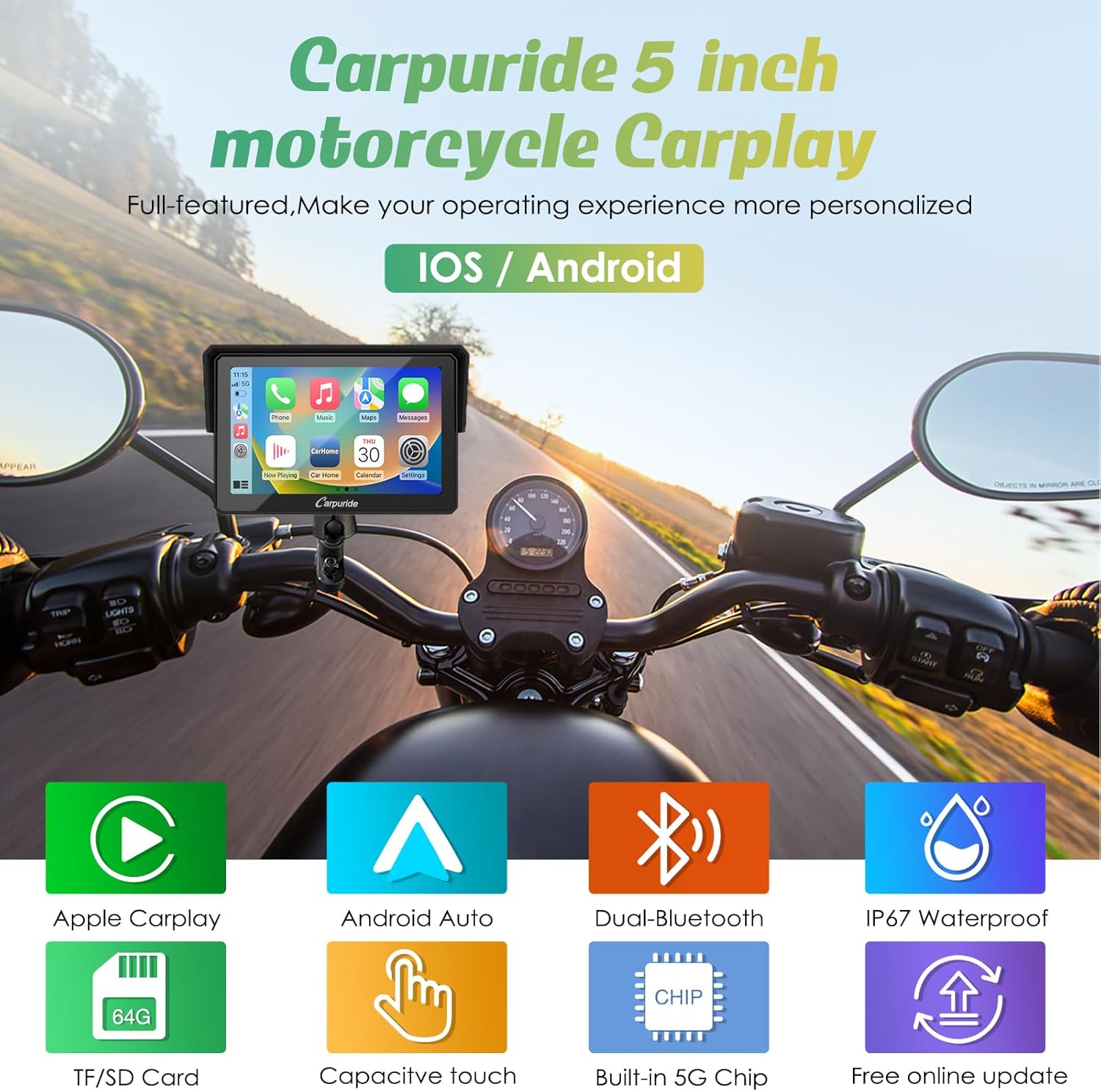
You will like CarPlay… my car is too old to have it built in so I have a Carpuride unit sitting on the dash - the unit cost me about £99 and links to everything on my phone including the navigation apps - way cheaper than buying a Garmin or TomTom.
The only annoyance I have found is that the music playback automatically resumes when the CarPlay reconnects to the phone when you switch it on.
However, this can be fixed by setting up a “Shortcuts” automation on your iPhone thusly:
Shortcuts App → Automation tab → Plus sign to create new automation
Choose when CarPlay connects, and Run Immediately. Hit next
I have another car where the manufacturer offers a very expensive upgrade to the sound system but I think I will give that a miss. Only time will tell if I will be won over by the built in sat nav or even other navigation Apps using CarPlay because I really like the way I use my Garmin XT on my motorcycles. I plan journeys on OsmAnd and upload the GPX tracks which then show on the Garmin screen in 2D with north up. I really don’t like the 3D turn by turn instructions given by Waze etc although I do sometimes use Google to find a particular address once I’m close. I think my XT will continue to be my constant companion.
The XT is very good by all accounts but it’s pricey! I’ve used a standard Garmin in a waterproof housing as well as my phone on my bike, but was always worried about vibration affecting the phone, and also having to remember to take it off when you stop is a hassle, even with a QuadLock mount.
So now I have another Carpuride CarPlay device designed for bikes (it’s waterproof) :
I have it mounted permanently on the handlebars with locking QuadLock mounts and it’s wired into a USB socket; so my phone stays safely in my jacket and I can leave the nav gadget in place when I stop for a break.