Awww…..I feel for you but at least you know where the data is and I guess one by one, on a rainy day, you could start decluttering  …you will get there I’m sure!
Prices have gone through the roof, along with GPUs, thanks to AI.
You’re looking at more like 150€ to 200€ these days. Which is annoying as I’m building a DIY PlayStation 5 (based on this) and wanted to put a big nvme drive in it.
2 Likes
That looks like a terrible waste of time and money
Oh..are you in UK?…they are sub 100 in NL??….your desired rig looks tasty though and no wander the hardware will be pricey! (I was suggesting to Jane to get something a bit tamer…)
I need something suitable for the nursery slopes!
There are 4 cables trailing across the floor from our TV at the moment, and I still missed watching the end of the TdF today! Could see it on France 2, but the sound was unsynchronised by about 200metres which is quite a lot in a cycle race, couldn’t find channel 5 programme on the firestick, and trying the HMO app did my head in).
(HDMI cable that goes to laptop, orange Tv box thingy, a firestick thingy, and the plug. The chromecast thingy is just lying beside it)
No, France. I was looking on Amazon at external SSDs and they were horrendously expensive… But I just realised it wasn’t sorting them by lowest price. That’s crazy the difference in prices! 

1 Like
Looks expensive for 1TB, I’ve a few 5TBs around the last I got for €171 aix years ago.
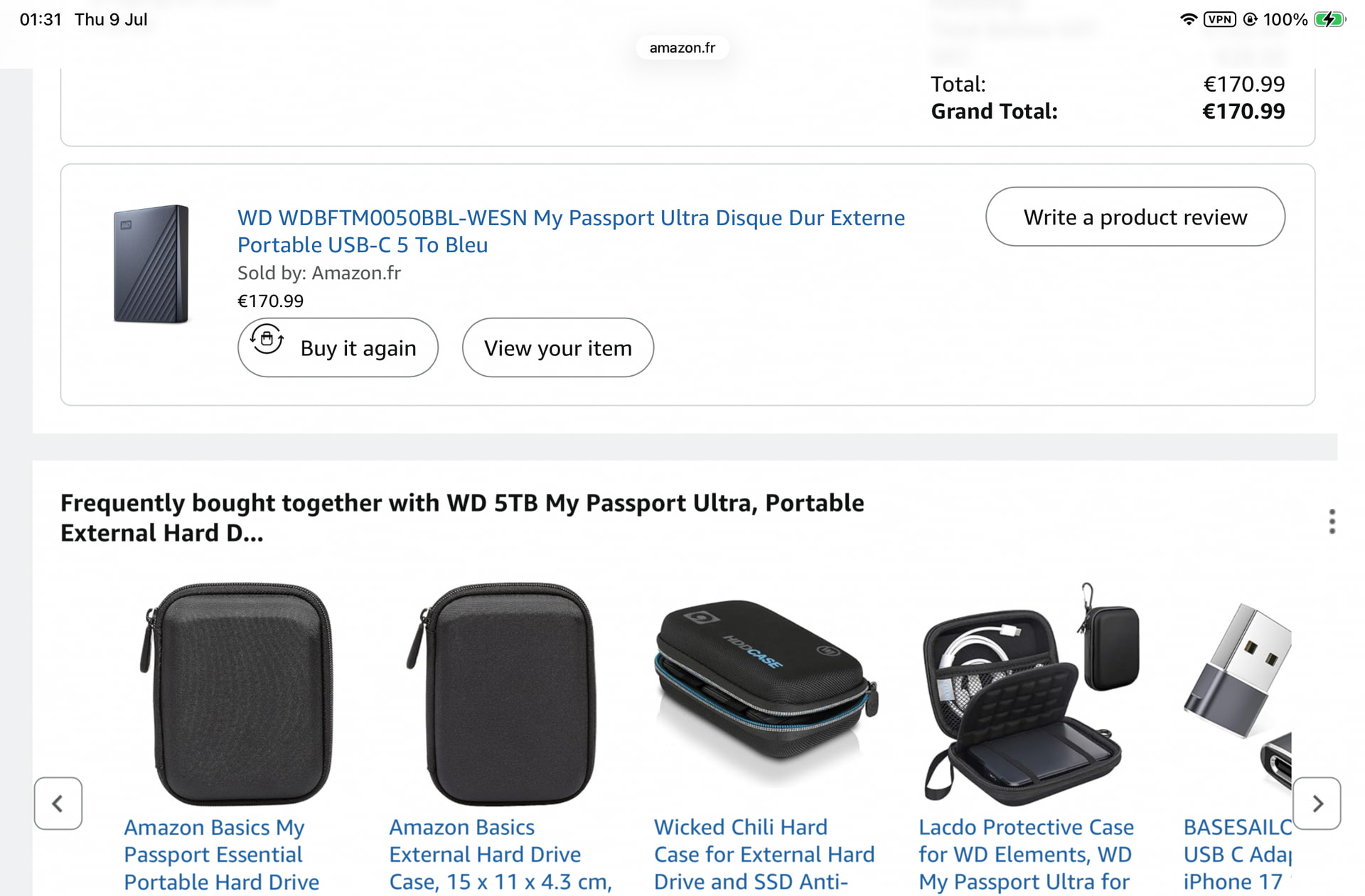
and it’s only gone up 25 quid since.
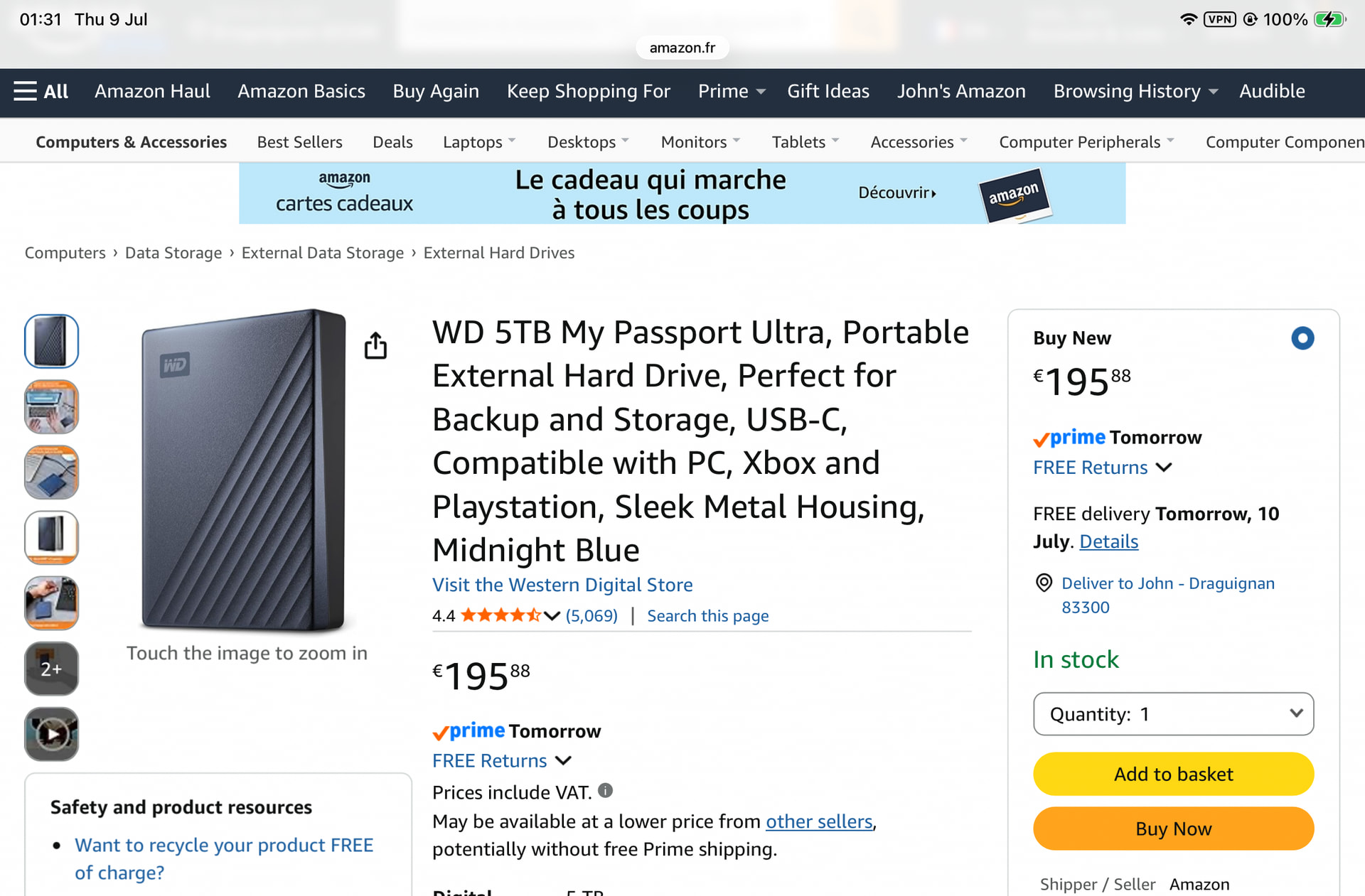
do you really need SSD?
There will probably be a glut of storage chips in a few months.
I remember this…
" In 2001, the storage and memory chip market experienced a historic crash rather than a shortage. Following the dot-com bubble burst, the industry went from severe component constraints in 1999 to a massive supply glut and an 80% drop in DRAM prices in 2001.
The 1999–2000 Shortage (The Precursor)
- The Cause: Y2K preparations caused a massive spike in IT upgrades, coupled with a devastating 1999 earthquake in Taiwan that severely disrupted semiconductor production facilities.
- The Result: Panic-buying caused memory chip prices to skyrocket. Companies frantically over-ordered, tying up the supply chain.
The 2001 Market Crash
- The Dot-Com Bust: As consumer and business IT spending collapsed in 2001, global demand for personal computers plummeted.
- The Oversupply: Manufacturers had massively ramped up production capacity just as the tech bubble burst. This resulted in an enormous surplus.
- Price Collapse: Prices for memory chips crashed by over 80%, and worldwide semiconductor revenues fell by one-third—the worst downturn in the industry’s history at that time.
Industry Shakeout
- Financial Devastation: Major players suffered massive net losses. For example, U.S.-based memory manufacturer Micron Technology recorded a $521 million net loss for fiscal 2001.
- Bankruptcies & Consolidations: The period was characterized by consolidation and government-backed bailouts, such as the rescue of South Korea’s Hynix Semiconductor.
As someone who’d dearly love to replace their self-built gaming PC, I very much hope this AI nonsense jacking up the prices of RAM, storage and the GPU price gauging goes the way of the dodo.
2 Likes
In my case I’d be better off going with an internal nvme drive. For Jane though it makes sense to have an external SSD. I was just commenting on their prices but I realise now Amazon was just showing me stupidly expensive ones first so I stand corrected (and happily so for once!).
Gobbledygook …
AI says this, but doesn’t really add much to my world
An NVMe drive (pronounced “en-vee-me”) is a type of solid-state drive (SSD) that uses a much faster way of communicating with your computer than older SSDs.
Here’s the difference:
-
Traditional hard drive (HDD): Uses spinning disks. Slowest but often cheapest.
-
SATA SSD: No moving parts. Much faster than an HDD.
-
NVMe SSD: Also has no moving parts, but connects directly through the computer’s PCIe interface, making it much faster than a SATA SSD.
Typical speeds are:
-
HDD: around 100–200 MB/s
-
SATA SSD: around 500–550 MB/s
-
NVMe SSD:
-
PCIe 3.0: 2,000–3,500 MB/s
-
PCIe 4.0: 5,000–7,500 MB/s
-
PCIe 5.0: up to 10,000–14,000 MB/s or more
-
Why it matters
An NVMe drive can:
-
Start your computer much faster.
-
Load games and large applications more quickly.
-
Copy large files in a fraction of the time.
-
Improve performance for tasks like video editing, photography, and software development.
What it looks like
Most NVMe drives are small, flat circuit boards about the size of a stick of chewing gum (called an M.2 drive), although NVMe drives can also come in other formats.
One thing to keep in mind is that M.2 and NVMe are not the same thing:
-
M.2 describes the physical shape of the drive.
-
NVMe describes the communication protocol.
-
Some M.2 drives use the older SATA protocol, while others use the much faster NVMe protocol.
If you’re buying or upgrading a computer today, an NVMe SSD is generally the best choice, provided your computer supports it.
Yes, you can safely ignore that stuff, Jane. You don’t need one of those in your case. Sorry for the thread drift.
I think you’ve very well illustrated your point. For those who know what these terms mean then it’s clear, but for most people it’s mumbo jumbo.
2 Likes
Can you upload a couple of photos and maybe someone will be able to help?
All makes perfect sense to me
None of it matters to you though Jane. In effect there are only two types of external disk you need to consider. A HD (hard disk) drive, inexpensive even for large capacity but relatively slow, or an SSD (solid state drive) which is much quicker, no moving parts just electrons whizzing around but more expensive. If your computer is old the difference in performance between the HD and SSD may not even be apparent.
One other thing to consider apart from price and performance is reliability.
However, (because there is always a however), much more important than choosing a storage device is deciding on your filing strategy for your photos. When you have your new disk you’ll have to set folder to put all your photos in. These need to be named and arranged appropriately. For example one top level folder, with a folder by year underneath it and folders for months 1 to 12 underneath each of those and folders by event under each of those. The way you have a hiararchy of all you photos and you can whatever you want instantly. When you’ve done that (and it will probably keep you busy for a while ) then you can consider putting you collect into some app or cloud service so you can access them all from anywhere on any device.
I’ve quite a few photos and videos organised that way. Stretching back to my parents photos from the forties.

I tried to respond to your original post several times but my words didn’t convey the message I was trying to give, that seems negative. Maybe the paragraph above does a better job.
For a “lay” person “IT skills” and technology is the last place to start, the first thing is what do you want to do, your requirements. Based on those you can plan an approach and then at the very end decide on the skills and/or tech you need to implement it. Otherwise you could waste a lot of time learning about a lot of things that have zero relevance to what you want to achieve.
@Gareth I didn’t realise you were responding to Jane
1 Like
Amazon pricing varies a lot throughout the year for this sort of item. Plus for tech it’s always worth looking on amazon.com and the other well known US tech sites. Far better choice and often generations ahead.
Pricing also varies there through the year - I used to research and target stuff for times like 2 months before Thanksgiving, or Cyber Monday. January can be good for prices but less for choice. You can do well especially if you can also work out how to use a site’s loyalty program, gift cards or other signin promos.
Depending on the exchange rate it can even be worth having stuff shipped here from the US even if you have to pay VAT and duty.. Though there are other solutions.
Absolutely right about learning stuff that is no use!
(But filing by date doesn’t do it for me - unless I set up few parallel universes.)
1 Like
That doesn’t really matter. It’s only one structure one can use and it suits me. You can decide on whatever filing structure that suits you. Design your own But having done so, I guarantee you will spend multiples of more time organising your photos in to it than you could ever do selecting the tech to do it with. Tech comes last.
Get the structure right and you can use any tech you like, and will probably have to as things evolve
Another vital piece of being IT savvy is being able to give a detailed description of what you did before the issue occurred.
For example, I was trying to help out an acquaintance whose iPad had locked up during a Gemini (Google AI) and wouldn’t power off. Turns out Gemini asked him to enable Text Hovering (an Accessibility feature in iThings and crashing with this active had banjaxed any touchscreen input.
Took a forced power down, killing the Gemini and ChatGPT apps, powercycling again and disabling Text Hovering (once the internet had told me what the weird icon on the screen indicated) to return things to Apple normal.
3 Likes
I’m always very wary of accepting a program’s request to use the Apple accessibility API, because it tends to have unexpected consequences like the one you mentioned. I put this down to a combination of Apple not being totally transparent with its API and the documentation intended for software developers often has significant gaps in it, leaving developers little choice but trial and error. Throw an AI in the mix and you have a recipe for disaster waiting to happen.
1 Like
And why the hell would anyone do what a bit of third party software asked you to do without understanding the implications? That’s how people get ripped off.
Will they never learn  I hope you kicked their arse (so to speak).
No, that’s not correct. Why would Apple intentionally have an ambiguous API that could cause its products to crash with resultant reputational risk? It’s shitty third party developers at fault.
1 Like
The elephant in the room with iOS is that Apple have relied heavily users enabling “Share diagnostic data with Apple” because they don’t have enough time, humans or automated test scripts to do much more than a “Turn it on and see if it catches fire” test on new features.
The SWQA organisation was last able to test everything more than a decade ago when only iPhone and iPad existed and the was one feature release and one maintenance release of iOS every year.
Having at least three SW builds in development for iOS, iPadOS and WatchOS at any given time plus security fixes makes every Apple user a Beta Tester.