Of course, just as I am about ro go off travelling and need my phone it plays up.
Everything is fine in the house where it connects to wifi, but outside absolutely zilch. I can see the bars indicating coverage but it says it can’t find a network. On both UK and French sim
The answer was to select the service provider which roaming had already selected and to turn off whatever it was that allowed the phone to make up its own mind.
Usually I have the opposite problem - I’ve turned off automatic selection for some reason then enter an ara where the selected network has no, or incredibly poor signal.
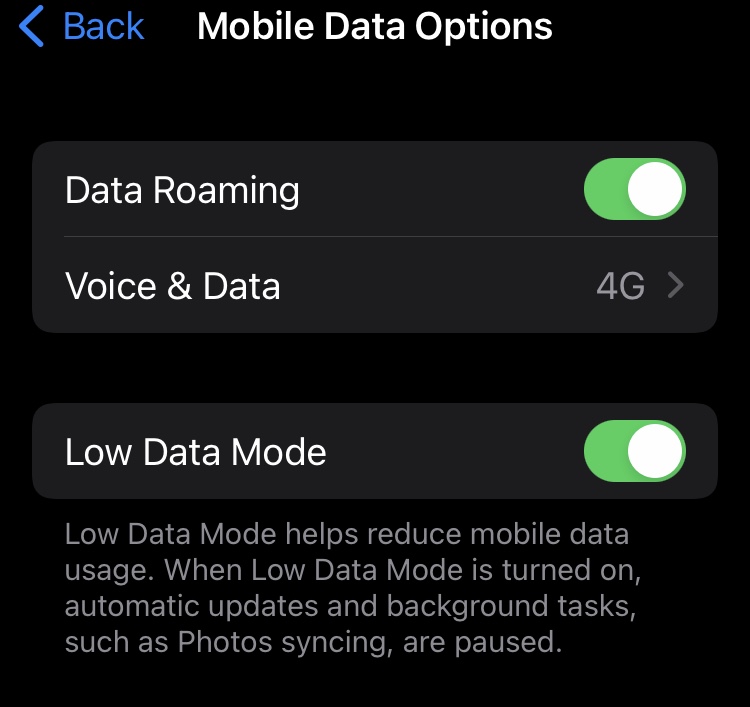
Yes worth checking roaming and data roaming are enabled.
But @JaneJones mentioned having tried it with both a UK and French SIM - one of these would need roaming enabled but the other would not (Assuming Jane’s problems occurred in France, which seems likely given the context).
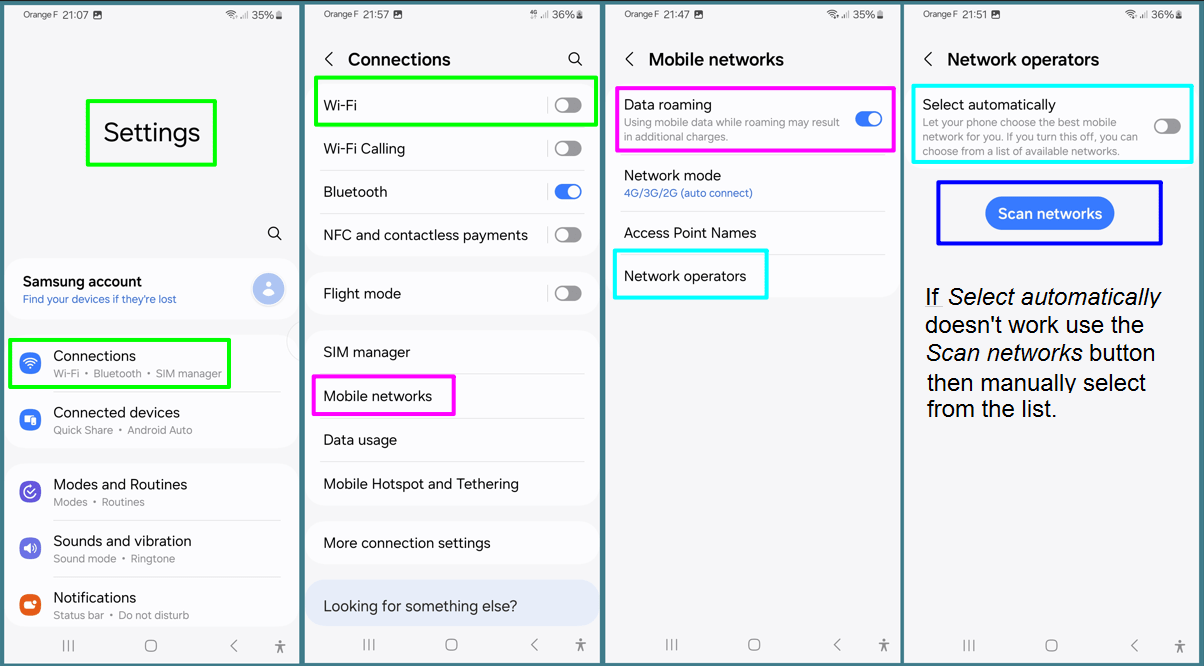
Last time I was in the UK staying with family I had my Android phone connected using the local Wi-Fi but later when I wanted to use the phone to make a call it said the phone wasn’t connected and suggested I enable Settings > Mobile Networks > Data Roaming, which was already on. Manually selecting one of the networks didn’t work either. What did work was turning off Wi-Fi .
So if you have an Android phone I would suggest open Settings > Connections > turn off Wi-Fi. Next open Mobile Networks and turn on Data Roaming then Open network operators and turn on Select automatically. If still a problem try using the Scan Networks option and then select one from the list.
Thanks all. I have turned everything off, removed its battery, and stuck it in a punishment cell overnight. Hopefully it will reflect on its sins and endeavour to be a better phone tomorrow.
Even to get it working I’m not prepared to be his cousin!
The bloody thing worked fine this morning, and recorded our walk on visorando with no problem. And then it stopped receiving anything again and bleated that there was no internet when I coukd see 4 bars of it.