I’m sure there’s quite a few SFers who’ve been using that command for several decades, originally out of necessity and these days out of habit and simplicity
I understand it is not a new thing but am confused as to why it has suddenly become obligatory in my case after decades of using just the mouse clicking on the Paste icon. BTW I haven’t checked if it has changed back since the upgrade last night, and, on that point
@Wozza I’ll see if I can remember how to do a screen shot and post the result. 
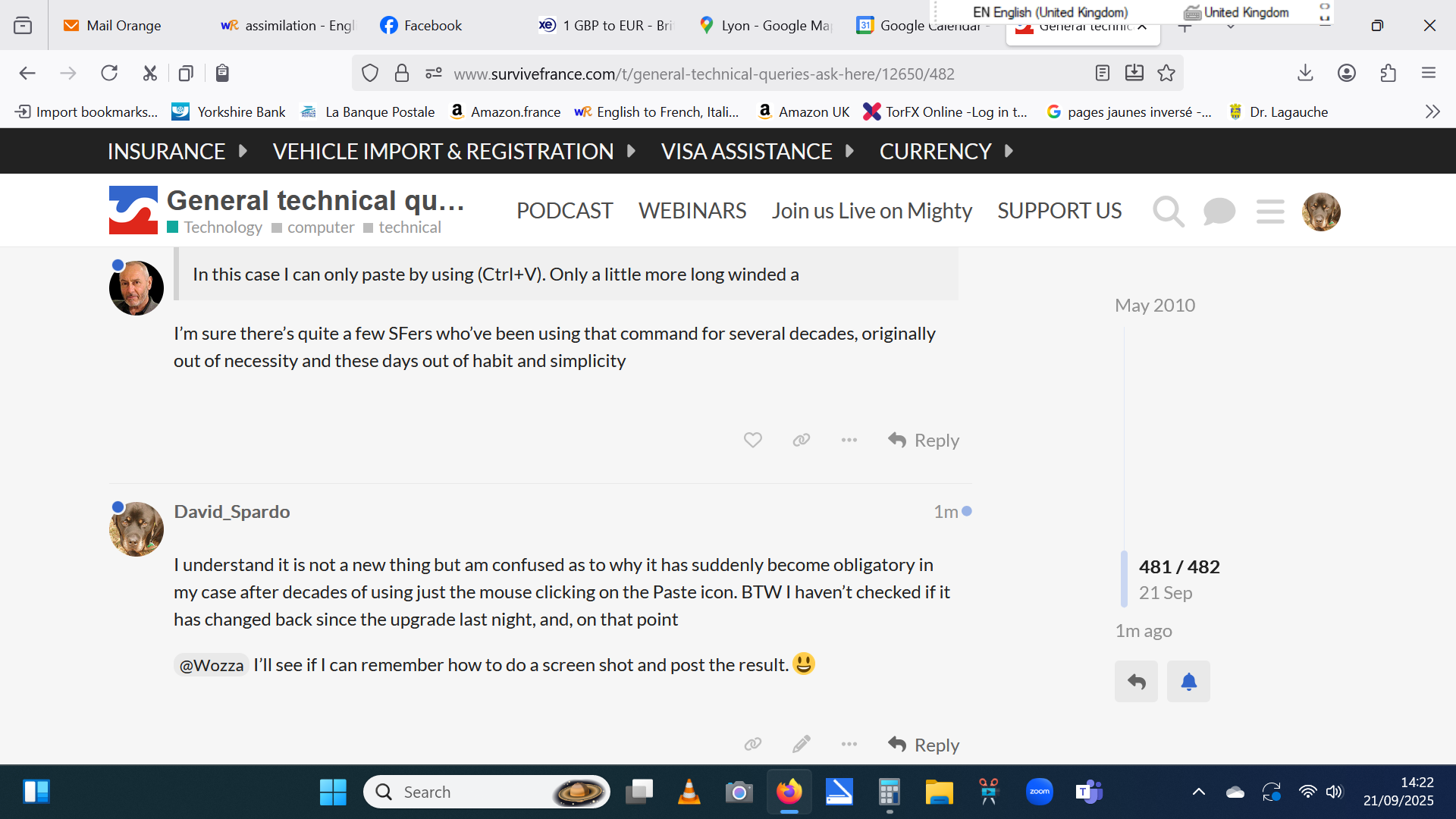
The slim panel far top right with the Language settings is the problem.
@DrMarkH The copy and paste system seems to be the same ie only by using ctrl+V
I see you managed a screenshot while I was going to reply. This is what I get from a screen shot on Windows 11, different from yours, at the bottom right, which shows keyb’d settings, qwerty or azerty.
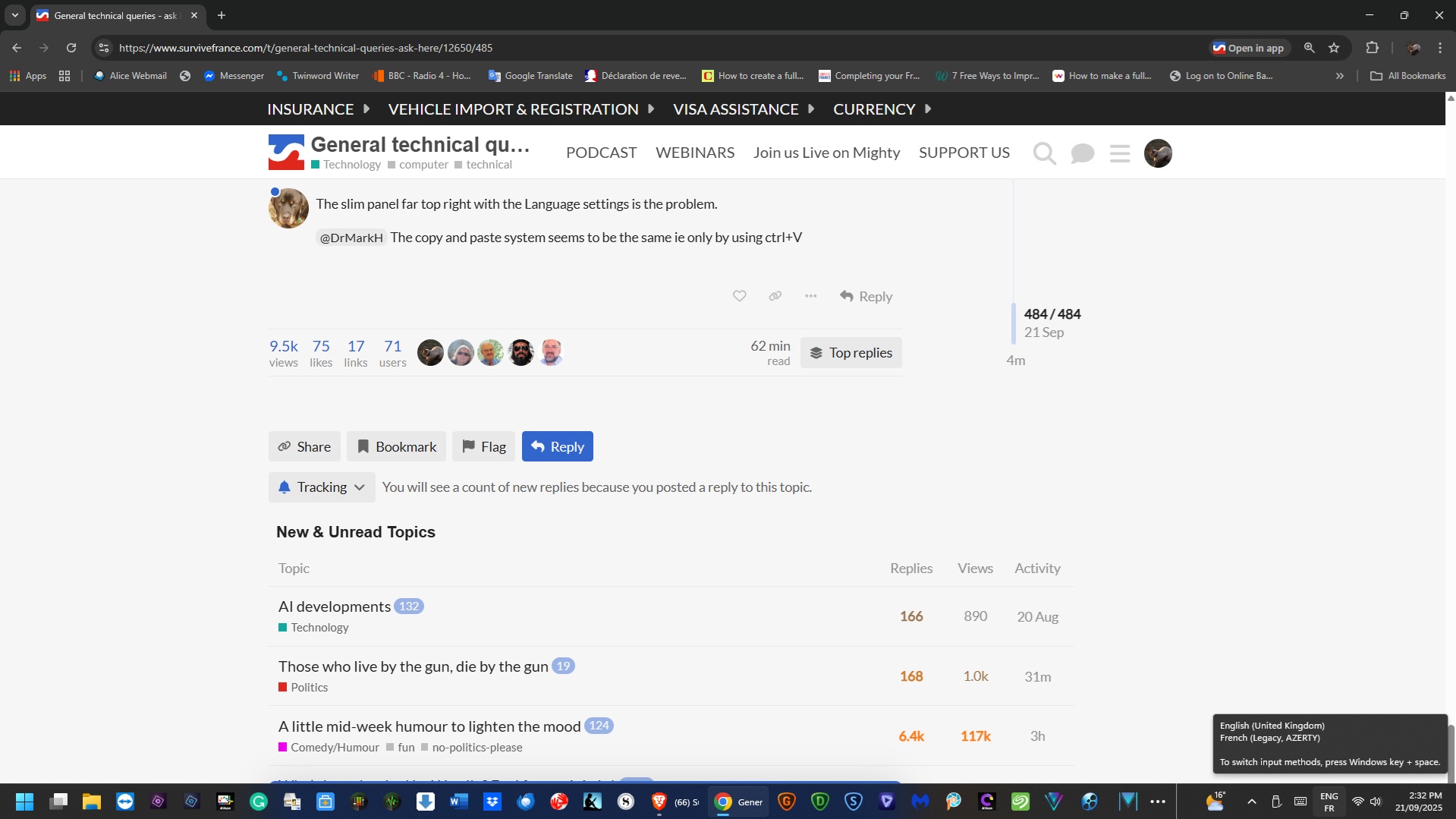
Difficult to read but yes, the same info I think but in a much more convenient place. Why we need to be reminded of what language we are using beats me but if it is necessary for some reason, what I need is to shift it from where it is. Any ideas? Drag and drop perhaps? I try it and see.
No it doesn’t.
Have you tried right-clicking on that slim panel top right? You might find some settings you can change? On the bottom task-bar, by right-clicking, you’ll see ‘Task bar settings’ with which you can control what’s on that lower bar.
Was just trying that when you came back to me. It gives me several choices of action one of which is ‘close language bar’ If that is what this is perhaps way to go. Although I recognise it might get me deeper I’ll give it a try and see what happens.
Phew, that’s done it, but I have got a Settings icon on the lower task bar now, no harm done I think. 
Thanks for the suggestion 
1 Like
I’ve just got rid of the language/qwerty/azerty tab on my lower taskbar. Every now and again I accidentally click on it changing it from azerty to qwerty, and then finding that I’ve written a line of gooblygook, most annoying!
I should say ‘gobbledygook’ not ‘gooblygook’.
That’s the trouble with computers and, as a confirmed non techie person, it is a big leap in the dark to try something new. You think you are just sweeping the floor with a broom and next thing you know a trapdoor has opened for you to fall through. 
BTW, point of interest. As no-one else was talking and I had seen that this thread started in 2010 I idly scrolled up to find that the lady author did not get a reply to her first post for 5 years. 
And the only name I recognised out of the many who followed, the only one I knew was @Roger_Lapin 
Sorry - didn’t spot this one.
No idea why copy & paste should have disappeared from the application menu bar but the language bar can, indeed, be sent packing by right clicking and choosing “close language bar”.
Though it sometimes pops up again, annoyingly.
That’s an annoying W11 update with the right click menu, you have to right click then scoll down to click on something else. Easy rectified in the registry, I’ll find a YT vid on how to do & post here.
The copy and paste change was 10 days ago and, as I only upgraded to 11 last night, that can’t be the culprit. It’s only a small inconvenience and I was more troubled by the fact that something could happen apparently all on its own with no obvious cause or reason.
But the language bar, now sorted, was a big deal it partially covered 2 tabs that I use several times a day.
I’ve just noticed another overnight change though. All my stuff is on 2 external hard drives and it is a bit more long winded now to update one from the other. It seems that people with nothing useful to do have to make changes to justify their existance.
1 Like
If anyone running on W11 wants to revert to the W10 right click menu this is how to do it https://www.youtube.com/watch?v=ccO3bL6GoMs
I’ve always, as far as I recall, right-clicked for copying and pasting, both on Windows 10 & 11. I sometimes cannot right-click to paste and this happens occasionally when I receive a code by email from the website that I want to open, where I have to paste the code into the website box that’s waiting for it. Which I then do with ctrl+V.

1 Like
Must admit I’m a bit shocked too! Speaking as a predominantly W7 user…
1 Like
Yes, I got that. Lots of useful things relegated to the extra menu. There is a way of restoring the menu back to the old style but I can’t remember now how it was done  .
.
No way, and I only did this because they said all support for 10 ends next month. I don’t live in the stone age you know, I had my first computer in the ‘70s.
1 Like
David, what do you use your computer for? Rather than battling with MS shit maybe a simple Linux alternative would suit you?
1 Like