Given the increase in height I’m suprised at the very similar results, if I am reading them correctly. I’ll run it for a a few days in this new posiition to see if it’s worth the trouble of making a mast up there.
Actually I’m not sure a speed test is a good metric as that fluctuates throughout the day, I assume due to what is available at the mast??
Something not quite right there if you were getting 30Mbps from the Bouygues 4G router…
Good point, but that didn’t last, after a day or so of using the original bbox it dropped significantly
to what level?
Is it worth asking the tech support for the product what they recommend in terms is channel settings etc?
I honestly can’t be bothered to try and find someone who might know that!
Can you tell me what settings you have on your bbox and I’ll see if I have mine set to the same please?
This is what I’ve got set right now
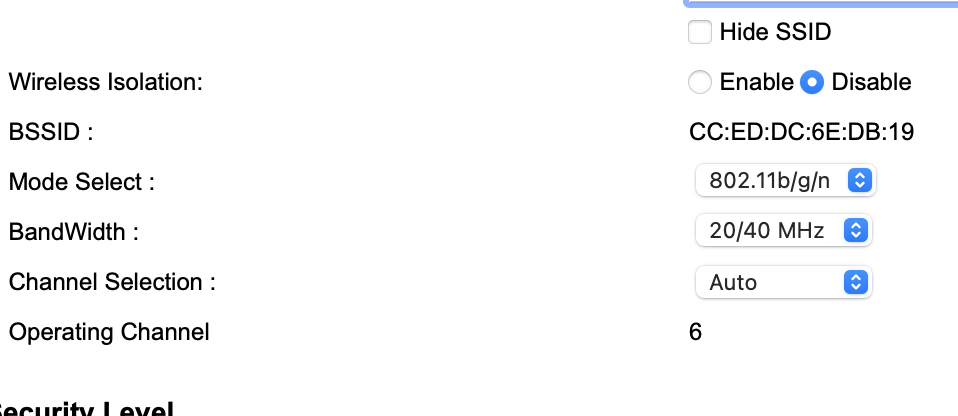
maybe this is just wifi? in which case I’m not sure I can modify anything on the LTE side

1 Like
I’ve looked through as many of the settings as I can access on the B528 router supplied by Bouygues which uses their own software and mostly, it’s turn-key stuff with automatic settings to keep plebs (like me) out from screwing up the system but their are probably some settings I’ve not yet managed to explore behind the scenes.
1 Like
Yes it is - I wouldn’t expect all that much to be configurable on the LTE side.
The numbers look a bit better though, despite the lacklustre speeds.
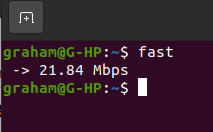
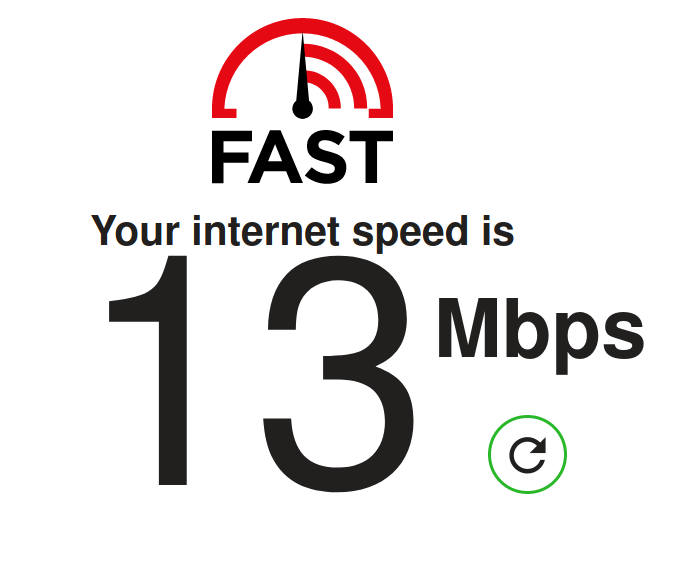
When doing the speed test is that over Wi-Fi - would be better to use a PC connected via Ethernet to the router.
1 Like
That may get higher numbers but if its wifi you use a moot point surely?
I have one of the little yellow mifi EE routers and that regularly records half the speed my phone gets
No, if the objective is to determine the best place for the 4G antenna you want to eliminate the variability that Wi-Fi will introduce.
Ah, see where you are heading now 
the WiFi in the house comes from the router associated with the antenna which is connected by RJ45 in this case which is why connecting a PC to the router will give a more “honest” result. Yes?
Yes, Wi-Fi is too variable - I happened to be using my son’s PC yesterday which is connected to the network via Wi-Fi, moving the external magnetic antenna by about 10cm increased the speed that I was getting from 11 to 50Mbps - connecting to the router via Ethernet eliminates that variability.
2 Likes
Have you played around with the channel settings away from channel 6 incase there is interference from something else.
There isn’t really a clear channel, I can see about 24 networks at the moment across all channels.
What is less clear is why the PC seems very reluctant to use the 5GHz band but as our internet connection is only about 48Mbps the WiFi is not limiting things too myuch for him.
Really I’m just looking at the LTE stats, i have not significantly improved the signal by moving it three meters higher so i reckon I’ll put it back where it was which will save me any further work, it’s as good as it’s going to get with Bouygeus at least. I might try an Orange sim in the new location just to be sure but I’m quite happy with the improvement, at worst it’s 100% better and sometimes much more. It’s not very stable but Orange have still not replaced the downed pole across the road so not much choice in the matter!
1 Like
It might be an idea to try different channels as well James as it made a difference in our last two places.
1 Like
You significantly improved the signal strength - both indicators of signal strength went up by a useful amount (5dB and 3dB) 
Unfortunately it looks like you increased noise by an equal, or even slightly greater amount as the signal quality parameters went down 
You win some, as they say.
1 Like